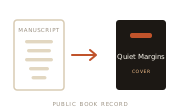
Draft to published
The jacket reveal. A manuscript becomes its finished, published cover.
Author Video
Give us an author name. Significant Figures reads the public book record — covers, timelines, genres, and source-reported reader signals when available — and builds a short, sourced video about the body of work. No slides to build.
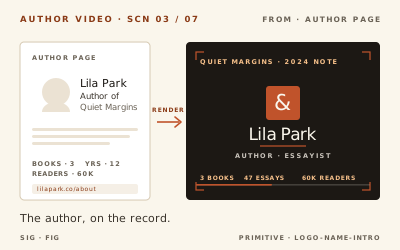
Just a name. We read the public catalogue from there.
Built from public records, each one labeled with its source.
About 60 seconds, ready to play, download, and share.
What you get
Every scene comes from the public record and shows its source on screen. The video adapts to what the public record can support — here are the scenes the system can draw on:
The jacket reveal. A manuscript becomes its finished, published cover.
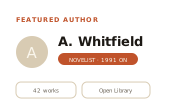
Opens with the name, portrait, and public stats. The title card.
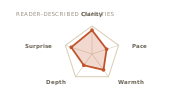
The words readers use to describe the writing, drawn as a labeled shape.
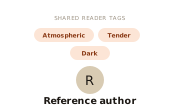
Where the author sits next to a comparable one, by the reader tags they share.
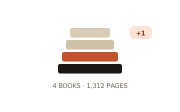
The books stack up on screen, with the total page count behind them.
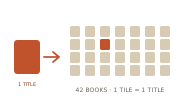
One cover multiplies into the full catalogue, so readers see the real output.
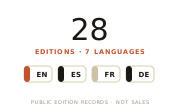
Every language and edition a work has appeared in, shown as reach.
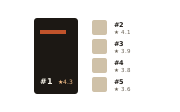
The books readers rated highest, ranked by public star rating.
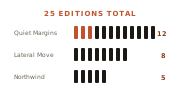
How many published forms each title has taken: editions, printings, formats.

A real opening line from one of the books, with the source shown.
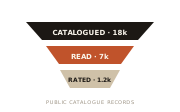
How readers move through the work: listed, then read, then rated.

Closes on the name, with the public sources behind every scene.
Why make one
Post it on book pages, socials, and newsletters to put the work in front of readers who haven’t found it yet.
A short video holds attention a static bio never will — on launch day, or as an evergreen post.
Let the public record speak. Covers, range, and standing, all shown on screen with their sources.
Built from public sources
Public catalogue sources · labeled on screen · nothing private, nothing invented
Good to know
What to expect before you make one: the practical details, and where the data comes from.
You enter a name, confirm the public records we found, and the video builds from there. Most are ready in a short, predictable window, and you watch the preview come together instead of staring at a loading screen.